Choosing between a laser printer and an inkjet model comes down to comparing two distinct printing philosophies. The technology, type of consumables, speed, and cost per page differ enough that a poor choice can cost you over several years. This article measures the concrete gaps between these two families to guide your decision.
Cost per page and consumables: the real comparison
| Criterion | Laser Printer | Inkjet Printer |
|---|---|---|
| Main consumable | Toner (powder) | Liquid ink cartridge or tank |
| Cost per page (black and white) | Significantly lower at high volumes | Higher with standard cartridges, reduced with a tank system |
| Cost per page (color) | Moderate, stable over time | Variable depending on cartridge type |
| Consumable lifespan | Several thousand pages per toner | Several hundred to several thousand depending on the model |
| Initial purchase price | Higher on average | Often more accessible |
| Risk of drying out | None (dry powder) | Yes, with irregular use |
The table highlights a classic paradox: the cheapest model to buy often costs the most to use. An inkjet printer with cartridges, bought at a low price, can generate a disproportionate consumables bill if you print regularly.
To understand in detail the difference between laser and inkjet printers, you need to look beyond just the purchase price and consider the total cost over the device’s lifespan.
Print quality by document type
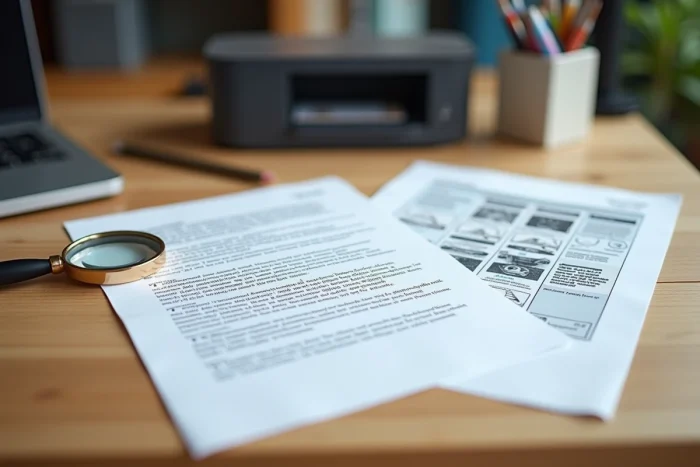
Laser technology fuses toner powder onto paper using heat. The result is sharp text with precise edges that does not smudge when in contact with water. For administrative documents, letters, or reports, laser produces superior text rendering in sharpness and durability.
Inkjet projects micro-droplets of liquid ink onto the sheet. This process allows for finer color gradients and more faithful photographic reproduction. If you print photos, color marketing materials, or detailed visuals, inkjet retains a noticeable advantage.
The paper trap
A rarely discussed point: print quality also depends on the weight and coating of the paper. An inkjet fed with low-quality plain paper will produce dull colors and text that warps. Conversely, a laser prints uniformly on most common papers without requiring specific media.
Firmware and actual lifespan of printers
Classic comparisons stop at the mechanics. Since 2023, a less visible factor affects actual lifespan: firmware updates that block unofficial cartridges.
Canon and HP have increased updates that prevent the use of third-party cartridges or older models, a phenomenon documented by the Electronic Frontier Foundation in its “HP Printer DRM” report updated in 2024. This locking mainly affects cartridge-based inkjets but also some entry-level lasers.
In contrast, Brother and Epson are frequently cited in specialized communities (notably on r/printers, discussions 2024-2025) as more stable brands in this regard. A user planning to keep their machine for more than five years should check the manufacturer’s firmware policy before purchase.
- Disable automatic firmware updates if you use compatible cartridges to avoid unexpected blocking.
- Opt for models with refillable ink tanks (like EcoTank from Epson) that partially bypass this locking issue.
- For lasers, ensure that compatible toner is recognized after an update: specialized forums document affected models.

Printing frequency and daily reliability
Usage frequency remains the most discriminating selection criterion. An inkjet printer used less than once a week risks clogging its nozzles. The ink dries in the print heads, leading to ink-consuming automatic cleaning cycles, or even breakdowns.
The laser does not suffer from this problem. The toner, in powder form, does not dry out. You can leave the device off for several weeks and print immediately without loss of quality. For intermittent home use (a few prints per month), the laser is mechanically more reliable.
Volume and speed
In sustained print volume, the laser dominates. Most laser models print significantly faster than their inkjet counterparts, with a warm-up time of only a few seconds on recent devices. For an office that prints several dozen pages a day, the speed of a laser notably reduces waiting times.
For occasional photo use with some text documents, a tank-based inkjet offers a reasonable compromise between color quality and controlled cost per page.
Repairability index and European obligations
Since the implementation of new transparency obligations in Europe, manufacturers must display a repairability index on certain electronic devices, including printers. This score, visible at the point of sale, evaluates the availability of spare parts, ease of disassembly, and access to technical documentation.
This criterion deserves attention: a printer well-rated for repairability will cost less to maintain over the long term. Laser models, often more modular in design (replaceable drum, accessible fuser), tend to be more amenable to repair than compact inkjets whose print heads are sometimes soldered to the chassis.
The choice between laser and inkjet boils down to a trade-off between usage frequency, document type, and ownership horizon. For regular use focused on text, the laser remains the most economical and reliable choice in the long run. For photo use or very occasional use with a tank model, the inkjet retains its relevance, provided you monitor the manufacturer’s firmware policy.