
Every year, thousands of lost luggage at airports are returned thanks to a simple readable tag. Downloading a printable luggage tag in PDF format standardizes the information displayed on each bag and reduces the risk of loss. However, not all models are created equal: format, displayed data, paper weight, and compatibility with airline recommendations vary from template to template.
Information to include on a luggage tag according to recent recommendations
Since 2023-2024, Air France and Lufthansa recommend placing a personal tag on each checked bag, in addition to the one provided by the airline. The priority information is no longer the postal address, but an active international mobile phone number.
The CNIL has published a practical guide strongly advising against displaying the full address on a visible tag, due to the risks of burglary during absence and identity theft. The recommended information is limited to:
- Last name and initial of the first name, sufficient for identification by baggage services without exposing the full identity
- Mobile phone number reachable abroad, for quick contact in case of delay or loss of the luggage
- Email address dedicated to travel (not the main address), to limit the exposure of personal data
A good PDF template includes these fields by default and excludes the “postal address” field from the visible side. Several ready-to-use printable luggage tag PDF templates already comply with this framework.
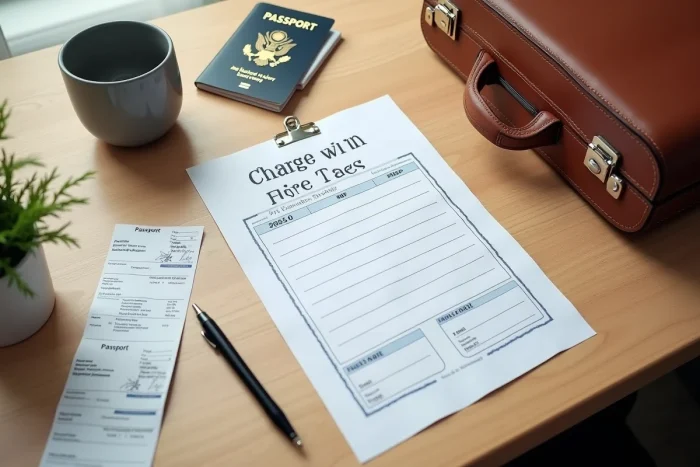
Comparison of available PDF luggage tag formats online
The choice of a template depends on the use: air travel, train, or trips with children. The table below summarizes the main differences between common formats.
| Criterion | Card format (85 x 54 mm) | Strip format (180 x 50 mm) | A4 multi-label format |
|---|---|---|---|
| Number per A4 page | 8 to 10 | 4 to 5 | 6 to 8 depending on cutting |
| Readability from a distance | Average | Good | Variable |
| Displayed data | Name, phone, email | Name, phone, email, flight or train | Customizable |
| Recommended attachment | Rigid tag holder | Folding and plastic tie | Cutting and laminating |
| Child-friendly | Yes (compact) | No (too long for small bags) | Yes if cut adjusted |
The card format remains the most versatile. It fits into tag holders sold in supermarkets and adapts to both suitcases and backpacks. On the other hand, the strip format offers additional space to write a flight or reservation number, which facilitates sorting by ground staff.
Paper weight and lamination: what ensures the durability of the tag
Printing a tag on standard office paper makes it unreadable after a few hours of rain or handling. A sufficiently dense weight is the minimum condition for the tag to survive a trip in the hold.
Consumer associations recommend placing a second identical tag inside the luggage, in case the one attached outside gets torn off during transport. This simple practice doubles the chances of recovery.
Lamination or transparent pouch
Two options protect the tag from moisture and friction. Hot lamination, with an adhesive film, creates permanent protection. The transparent PVC pouch, secured by a strap or carabiner, allows the tag to be replaced for each trip.
The pouch is preferable for frequent travelers who change destinations regularly. Lamination is better suited for a backup tag slipped inside the suitcase, as it will not be handled.

Luggage tags for children: adapting the content without exposing sensitive data
For children’s luggage, the temptation is to write the first name in large letters. Never display a child’s full name on the visible side of a bag: this recommendation appears in parental safety guides relayed by several transport federations.
A child-friendly model displays only the last name, a phone number of the accompanying parent, and a colorful visual that helps the child recognize their bag on a conveyor belt. Some PDF templates include space for an icon or drawing that the child chooses themselves.
QR code on luggage tag: a complementary option
QR code generation platforms allow encoding multiple contact details into a code readable by smartphone. The QR code, printed on the tag, provides access to a name, phone number, and email address without these details being visible to the naked eye.
The QR code protects personal data while remaining scannable by equipped baggage services. This option is particularly relevant for children traveling in groups (camps, school trips), where several identical bags circulate simultaneously.
Checks before printing: quick checklist
Before starting the printing process, a few checks can prevent wasting paper or ending up with an unusable tag at the airport.
- Check that the PDF prints at 100% of its actual size (no automatic “fit to page” adjustment that reduces dimensions)
- Ensure the phone number includes the international code (+33 for France) if the trip is abroad
- Make sure the “postal address” field does not appear on the outside, in accordance with CNIL recommendations
- Test readability after cutting: a font smaller than 10 points becomes difficult to read under artificial hold lighting
Printing two copies per bag (one external, one internal) remains the most reliable practice to maximize recovery chances in case of loss. Multi-label PDF templates allow producing several copies on a single sheet, which reduces preparation time before departure.